
Textures16xMC 1.20+
SpiderMan UI

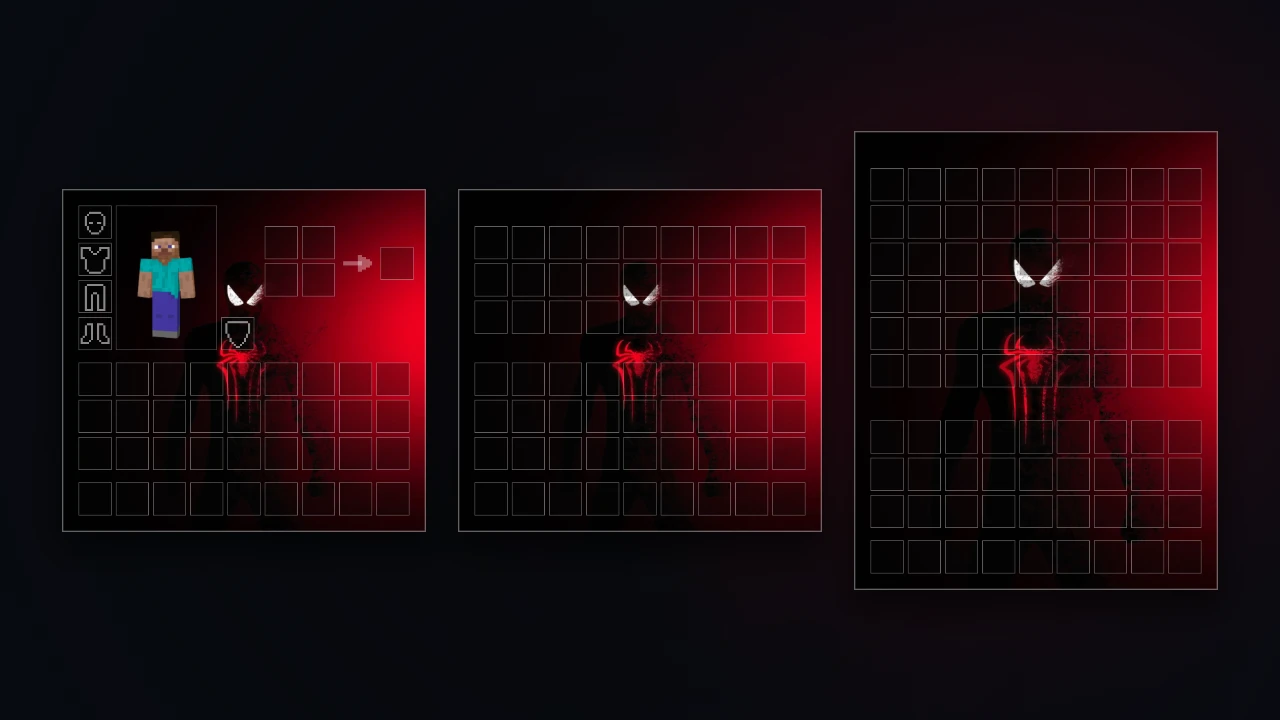
Imagen 1
1 / 1
🏷️ Inventory🏷️ Gui🏷️ Custom-ui🏷️ Bedrock🏷️ Inventory-maker🏷️ Chest-ui🏷️ Ender-chest🏷️ Barrel-ui🏷️ Shulker-ui🏷️ Double-chest
Pack Description
Interfaz de inventario personalizada para Minecraft Bedrock creada con McPack Inventory Maker.
- Resolución: 1024x
- Menús incluidos: Inventario + Cofre + Ender Chest + Barril + Shulker + Cofre Doble
- Estilo de casillas: Líneas Finas
- Modo gráfico: Ilustración Estática HD
Community Comments0
Join the community conversation
Log in to comment and ask questions.
No comments yet
Share your thoughts with the community!
1-Click Direct Download
No ads or annoying link shorteners
5downloads
0 threats detected (100% safe)
How to install SpiderMan UI in Minecraft Bedrock
- 1. Direct Download
Click the download button to get the .mcpack file directly with zero link shorteners.
- 2. 1-Click Import
Open the downloaded .mcpack file; Minecraft Bedrock will launch and import the pack automatically.
- 3. In-Game Activation
Go to Settings > Global Resources, select the pack under "My Packs", and click Activate.


